Test walkthrough
Try a free K53 test walkthrough: choose a language, answer four demo questions and review your answers. No timer, registration or payment.
Practice environment · Fictional demo identity only. No real identity number is requested or transmitted.
Make yourself at home.
Explore the screens, choose a language, try four questions and review your answers before starting a practice test.
How the test walkthrough works
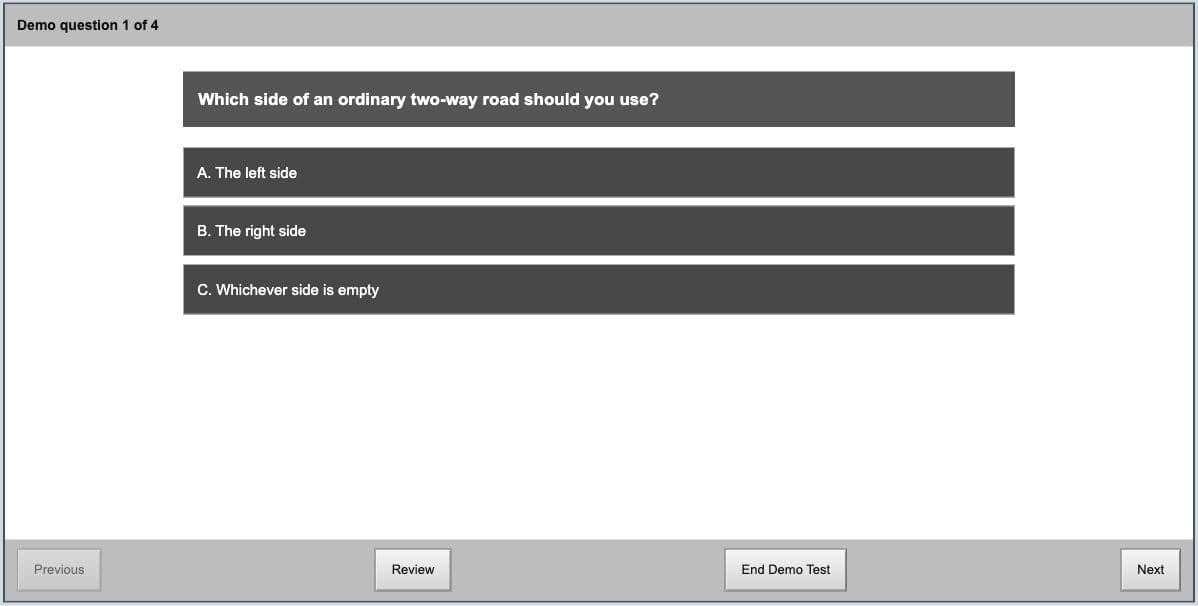
The free walkthrough lets you select answers, move between questions and review your work. Try it on your phone or computer so you can focus on the questions on test day.
- 1
Demonstration number
Start the demonstration and enter the fictional number 0000 with the on-screen keypad. Use the demo identity, rather than your real identity number.
- 2
Start Demo
Choose a language and try four sample questions. Practise selecting answers and moving between questions at your own pace, with no timer.
- 3
Review
Open the review screen to revisit or change answers, then finish the demonstration. This walkthrough helps you learn the controls; it does not issue a learner’s licence or predict your test result.
K53 CLLT is independent preparation. Its practice questions and screens are not the official test or its complete question bank, and practice scores cannot guarantee a pass.